


KhrisDigital is supported by readers like yourself. We may earn a commission when you purchase through our links (at no extra cost to you).
Ever feel like every week there’s a new “must-have” AI SEO tool?
You’re not alone.
I’ve been blogging since 2018, and even I’ve felt buried under the flood of tools claiming to be the best at boosting rankings, writing content, or decoding Google’s ever-changing algorithm.
The truth?
Most of them overpromise. Some are incredible. But only a handful actually help you rank, especially now with AI search and ChatGPT-style results changing the game.
That’s why I made this guide.
To cut through the noise and show you the best AI SEO tools (both free and paid) that are actually worth your time, whether you’re a beginner, small business, agency, or want smarter tools to grow faster.
Comparison Table of the Top AI SEO Tools
| AI SEO Tool | Free Plan | Starting Price | Best For |
|---|---|---|---|
| Rank Math | Yes | $9/month billed annually | On-page SEO for WordPress with AI guidance |
| SEMrush | No, 7 day trial | $199/month | All-in-one SEO with AI Copilot for planning & strategy |
| Surfer SEO | No | $99/month | AI-powered content optimization with NLP |
| Link Whisper | No | $97/year | Internal link building for WordPress |
| ChatGPT, Claude and Gemini | Yes | ChatGPT Pro starts at $20/month, Claude Pro also starts at $20/month, and Gemini Pro at $19.99/month. | Research, drafting, and entity discovery |
| Originality.AI | No | $14.95 per month | AI content detection + plagiarism check |
| n8n | Yes (Self-hosted) | $24/month | Automating and connecting SEO workflows |
| Ahrefs | Limited (Webmaster Tools) | $29/month | Deep keyword, backlink, and traffic analysis |
| WhiteSpark | Limited | $25/month | Local citations + local rank tracking |
| SearchAtlas | No | $99/month | Affordable all-in-one SEO with AI content tools |
| KoalaWriter | No | $9/month | Fast SEO blog post generation |
| Canva AI | Yes | $12.99/month | Visuals, infographics, and content design for SEO |
| Perplexity | Yes | $20/month | AI-powered research and SERP simulation |
| Grammarly | Yes | $30/month | Grammar, clarity, tone, and SEO readability |
| BrightLocal | No | $39/month | Local SEO: citations, reviews, and local rankings |
| NeuronWriter | No | $23/month | Budget NLP content optimizer |
| TubeBuddy | Yes | $4.50/month | YouTube SEO optimization with AI for titles & metadata |
| Keywords Everywhere | Yes | $60/year | Browser-based keyword research & SERP insights |
1. Rank Math SEO Plugin – On-Page Optimization with AI Features
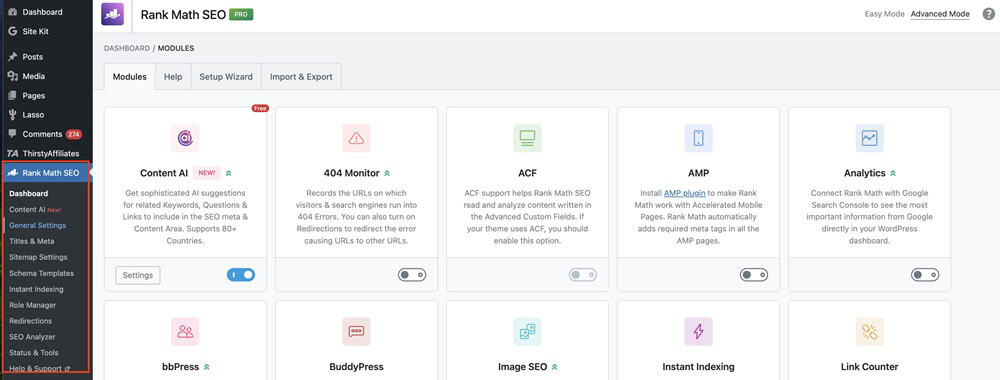
Best For: Rank Math is best for bloggers, small business owners, and WordPress users who want everything in one place, especially if you want AI SEO tools for content optimization and real-time writing help.
Rank Math is a WordPress SEO plugin that helps you optimize your posts for search engines, now with built-in AI features like smart suggestions and content scoring.
It’s like having an SEO coach while you write. It provides real-time feedback on keyword use, readability, meta tags, and even schema, all without needing to leave your WordPress editor.

When I switched from Yoast to Rank Math, my content workflow got smoother. I especially liked how it handled multiple focus keywords and gave AI-backed suggestions that actually made sense.
What I Love About Rank Math (Pros)
- Super easy to use, even for beginners
- It has a free to use version
- It is affordable with plans starting at $9/month billed annually
- Clean interface that fits right into WordPress
- AI-based content score and suggestions
- Built-in redirection, schema, and sitemap tools
- Great support for WooCommerce and local SEO
What I Don’t Like About Rank Math SEO (Cons)
- AI features are only available in the Pro version
- It can only be used on WordPress
- It can feel overwhelming with all the settings at first
- Some features overlap if you’re already using other plugins
How Much Does Rank Math Cost?
There is a free version available. The pro plans start at $9 per month, billed annually.
Read my complete Rank Math review here.
2. SEMrush (AI Content Toolkit / Copilot) – All-in-One SEO + AI Suggestions

Best For: SEMrush is ideal for marketers, agencies, or serious bloggers who require an AI-powered SEO software that extends beyond writing, helping you plan, optimize, and scale your entire SEO strategy.
SEMrush is like the Swiss Army knife of SEO.
It covers keyword research, competitor analysis, backlinks, and now, AI-assisted content creation through its AI Copilot and Content Toolkit.
If Rank Math helps you write better, SEMrush helps you plan smarter. The AI Copilot can analyze search intent, suggest content outlines, and even help you rework underperforming posts.
It’s my go-to when I want to understand why a competitor is outranking me, and what my content needs to catch up.
When I started using the AI Writing Assistant, I noticed my outlines became sharper and more data-driven. It uses live SERP data to tell you what Google actually rewards.
My time spent on keyword research dropped in half.
What I Love About SEMrush (Pros)
- Incredibly detailed keyword and competitor insights
- AI Copilot gives practical, context-aware SEO advice
- Great for identifying low-competition, high-opportunity keywords
- Integrates with Google Docs, WordPress, and social tools
- Updated frequently to stay relevant to AI search
What Might Bug You About SEMrush (Cons)
- Pricey if you only need basic features
- The dashboard can feel overwhelming at first
- There is no free plan
How Much Does SEMrush Cost?
Plans start at $199/month. A free trial is available for the Pro plan, typically 7 days.
3. Surfer SEO – On-Page & Content Optimization with NLP
Best For: Surfer SEO is ideal for writers, SEO professionals, and content teams seeking AI-powered SEO tools for content optimization, particularly those committed to semantic SEO and aiming for faster rankings with reduced guesswork.
Surfer analyzes the top-ranking pages for your keyword and provides precise insights into what your content needs, from word count to semantic keywords, using NLP (natural language processing).
It’s like content writing with a GPS.
Surfer doesn’t just tell you to “optimize”, it tells you how. It bridges the gap between what you think your content should say and what Google actually wants to rank.
When I started running blog posts through Surfer’s Content Editor, I saw faster ranking times and longer average session durations.
Posts that used to take weeks to index started climbing in a few days. And the NLP term suggestions? Spot on.
What I Love About Surfer SEO (Pros)
- Real-time content scoring with AI-driven keyword suggestions
- Great integration with Google Docs and WordPress
- Useful audit tool for updating old content
- NLP support helps you hit semantic targets (not just exact keywords)
- Clean, intuitive interface
What I Don’t Like About Surfer SEO (Cons)
- You’ll need to know how to interpret the data, as it’s not 100% beginner-proof
- It can feel formulaic if you rely too much on the score
- There is no free plan
- The starting price of $99/month is pricey.
How Much Does Surfer SEO Cost?
Pro plans start at $99/month. There is no free plan, but it does provide some free tools and a 7-day money-back guarantee on its paid plans.
You can use free resources like the Keyword Surfer Chrome extension and a free AI Search Optimization Masterclass, and you can try the main platform risk-free by signing up for a paid plan and requesting a refund within seven days.
4. Link Whisper – Smart Internal Linking Assistant for WordPress
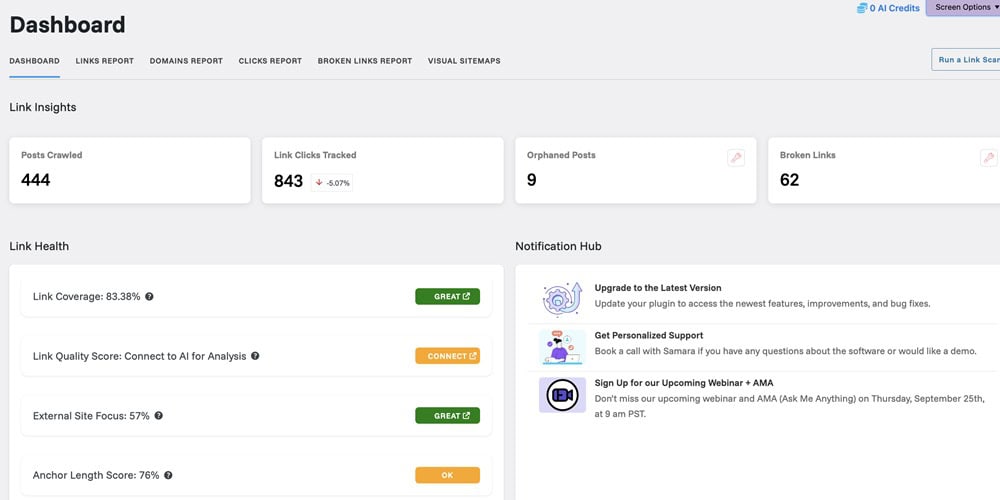
Best For: Link Whisper is best for bloggers, affiliate marketers, and anyone managing a WordPress site with extensive content, particularly those seeking an AI SEO tool for link building that’s hands-off yet effective.
Link Whisper automatically suggests and builds internal links while you write or update blog posts, helping spread link equity and improve SEO structure without manual labor.
Internal linking is one of the most underrated ranking factors, and Link Whisper makes it stupidly easy. Instead of manually searching for related posts, it suggests anchor text and pages in real-time, or bulk adds them across your site.
After running it on one of my older blogs, I noticed a noticeable increase in traffic within a month, especially for previously neglected posts that lacked internal links.
Bounce rates decreased, and time on site increased. It also cleaned up my broken links like a champ.
What’s Great About Link Whisper
- Saves hours of manual linking
- Real-time suggestions while writing
- Quickly shows orphaned content (no internal links)
- Bulk link-building and smart anchor text options
- Can auto-link keywords site-wide
- There is a free version
What’s Not So Great About Link Whisper
- It can be used on WordPress only, not for non-WP users
- Advanced auto-linking can get aggressive if not configured carefully
- AI suggestions are good, but not always context-perfect
How Much Does it Cost to Use Link Whisper?
Starts at $97/year for one site. A free version is available with limited functionality.
5. ChatGPT and Other LLMs like Gemini & Claude – Research, Drafting, Entity Discovery
Best For: ChatGPT, Claude, and Gemini are best for content strategists, solo bloggers, and SEO professionals seeking a flexible AI content generator for ideation, research, and creating content that aligns with search engine optimization in an AI-first world.
These AI models act like supercharged research assistants. You can use them to generate outlines, rework content, brainstorm keywords, extract entities, or simulate how AI search might interpret your topic.
These tools help me think through content and write it. I use ChatGPT to structure posts, test angles, and even run content through entity checks to align with semantic SEO.
It’s also how I optimize for ChatGPT-style search results by thinking like the machine.
When I started prompting my ChatGPT customGPTs for entity suggestions and topic gaps, my content became more comprehensive.
I stopped missing critical subtopics, and I started ranking for long-tail variations I hadn’t even considered. I now treat LLMs like SEO brainstorming machines.
Why I Love Using These LLMS (Pros)
- Fast idea generation and outline building
- Helps surface related entities and subtopics
- Excellent for rewriting and tone adjusting
- Can simulate AI search behavior to test optimization
- Available 24/7 and gets better with prompting
- They also usually have a free plan
What I Don’t Like About LLMs (Cons)
- Not always accurate, you need to fact-check
- Doesn’t replace real keyword tools or SERP analysis
- No live SERP data unless connected to plugins/extensions
How Much Does it Cost to Use These LLMs?
ChatGPT, Claude, and Gemini all have free tiers with pro options available. ChatGPT Pro starts at $20/month, Claude Pro also starts at $20/month, and Gemini Pro is available with the Google One AI Premium plan, starting at $19.99/month.
6. Originality.AI – AI Content Detection + Compliance Checker

Best For: Originality.AI is best for content creators, agencies, and individuals publishing AI-assisted content at scale who need to ensure compliance, originality, and quality before publication.
Look, AI can help you write faster, but if your content sounds like it was mass-produced by a robot, you’re putting your rankings at risk.
Originality.AI scans your content to detect AI-generated text and checks for plagiarism, helping you stay compliant with Google’s content policies and maintain originality.
I use Originality.AI as a final check to make sure my posts still sound human, pass originality checks, and don’t overlap with anyone else’s work.
However, since I started using my customGPTs, my articles have consistently passed the originality checks.
What I Love About Originality.AI
- Accurate AI vs. human content detection
- Fast and clean plagiarism scanning
- Easy-to-read reports and scoring system
- Works well for compliance checks in freelance or agency workflows
- Helps maintain a unique voice even with AI support
What I Don’t Like About Originality.AI
- It doesn’t integrate directly with WordPress or Docs
- High AI-detection scores sometimes flag good human content
How Much Does it Cost to Use Originality.AI?
You can choose the pay-as-you-go plan and pay $30 for 3,000 credits, which do not expire for two years. The monthly subscription plans start at $14.95 per month for 2,000 monthly credits.
7. n8n – Best for Connecting and Automating SEO Workflows
Best For: n8n is ideal for power users, agencies, or anyone managing multiple SEO tools or clients who want to integrate them into seamless, automated workflows. It is a top pick for AI SEO tools for marketing agencies that want complete control and automation.
n8n is a no-code/low-code automation tool that lets you connect your SEO stack, from keyword tools and Google Search Console to Slack, Notion, Airtable, or anything with an API.
SEO is more than writing and ranking. It also involves tracking, updating, reporting, and optimizing on an ongoing basis.
With n8n, I’ve automated tedious tasks, such as pulling keyword ranking data, flagging traffic drops, syncing SEO tasks to my Notion board, and generating link-building reports.
Once I set up a workflow to monitor low-performing content weekly (via Search Console + Airtable), I saved hours. I started spotting underperformers earlier and optimizing sooner. It turned SEO maintenance from a chore into a background system.
What I Love About Using n8n (Pros)
- Endless integrations with SEO tools, CRMs, CMSs, and databases
- Drag-and-drop interface makes automation easy (no dev needed)
- Helps scale and streamline recurring SEO tasks
- Can trigger updates based on live performance data
- Free self-hosted version available
What I Didn’t Like About n8n (Cons)
- Steeper learning curve if you’ve never done automation before
- Not SEO-specific, you have to build the workflows yourself
- Requires API access for many advanced features
How Much Does it Cost to Use n8n?
Free self-hosted version. Cloud plans start at $24/month.
8. Ahrefs – Deep SEO Data + AI-Powered Traffic Insights

Best For: Ahrefs is ideal for advanced bloggers, agencies, and SEOs seeking comprehensive data and an AI SEO tool for keyword research, traffic tracking, and site audits, particularly for large content sites or backlink-focused strategies.
Ahrefs is a powerful all-in-one SEO tool that tracks keyword rankings, backlinks, site health, and traffic, with AI features now helping predict performance trends and uncover new ranking opportunities.
Ahrefs is the first place I go when I want the real story behind why a site ranks.
The backlink analysis is unmatched.
However, lately, their AI-based traffic and keyword tools have helped me identify declining posts more quickly and focus on pages that need a boost before their rankings drop.
After using the AI Traffic Movement report, I caught three declining blog posts that were slipping out of the top 10, and optimized them just in time. I also use Ahrefs’ Keyword Explorer to find low-competition, AI-relevant topics that traditional tools often miss.
What I Love About Ahrefs (Pros)
- Best-in-class backlink database
- Powerful keyword and content explorer
- AI features highlight traffic drops and ranking opportunities
- Great for content audits and competitor tracking
- Constantly updated with fresh data
- You get free access to its backlink checker and webmaster tools, including Site Explorer and Site Audit.
What’s Not So Great About Ahrefs (Cons)
- It is pricey, especially for solo creators
- Limited daily usage caps unless on higher-tier plans
- Steeper learning curve for total beginners
How Much Does Ahrefs Cost?:
Pricing plans start at $129/month. If you’re just starting out, you can opt for the Starter plan, which provides access to basic tools for $29/month.
There is no free plan, but they offer Ahrefs Webmaster Tools (limited) and a backlink checker (also limited) for free.
9. Whitespark – Citation Finder + Local Rank Tracker

Best For: Whitespark is best for local businesses, SEOs focused on Google Map Pack visibility, and agencies managing multiple locations, particularly those that require AI SEO tools for local optimization and citation building.
Local SEO is a different game. Google prioritizes proximity, relevance, and trust, and citations remain important.
Whitespark helps you find citation opportunities (local business listings) and track local rankings across different cities, zip codes, and devices. It is perfect for dominating Google’s local pack.
Whitespark makes it easy to spot where your competitors are listed and where you’re missing out. Additionally, its local rank tracker provides extremely granular results.
When I ran a local business site through Whitespark, we discovered over 30 missed citation opportunities. After building those, we moved from position #5 to #2 in the map pack in under a month.
That’s traffic with buying intent.
What I Like About Whitespark (Pros)
- Excellent citation finder and tracking
- Hyper-local rank tracking (by city, postal code, etc.)
- Great for multi-location businesses
- Clear, no-BS reports clients can actually understand
- Customer support is top-tier
What I Don’t Like About Whitespark (Cons)
- Very niche and not for general SEO or content creation
- UX could use an update in places
- The free version is limited in scope
How Much Does Whitespark Cost?
Citation services start at $99 one-time. Local Rank Tracker begins at $25/month. Free tools are available with limits.
10. Search Atlas – All-in-One SEO Alternative with AI Features

Best For: Search Atlas is ideal for solo bloggers, startups, and content marketers seeking an affordable, AI-powered SEO tool that covers all the essentials, particularly for SEO content planning and site architecture.
Search Atlas combines keyword research, backlink analysis, on-page optimization, and content creation with built-in AI tools for writing, SERP analysis, and clustering.
It’s the kind of tool I recommend when someone says, “I want everything in one place, but I don’t want to pay Ahrefs prices.”
The AI suggestions are great for content briefs, and the clustering tool helps me build topic authority without having to guess.
I used it for a niche site build-out and loved how fast I could generate content ideas and map them to a full silo. The AI content editor provided optimization suggestions that closely aligned with what’s actually ranking.
What I Love About Search Atlas (Pros)
- AI-driven keyword and topic clustering
- Strong content editor with optimization insights
- Good balance of features for writers and SEOs
- Budget-friendly compared to bigger platforms
- Simple UI for non-techy users
What I Don’t Like About Search Atlas (Cons)
- Less robust backlink data compared to Ahrefs
- AI writing suggestions still need human tweaking
- Not as widely adopted yet, with fewer tutorials/community support
- There is no free plan available
How Much Does Search Atlas Cost?
Pro plans start at $99/month. There is no free plan, but there is a 7-day free trial.
11. KoalaWriter – Fast, SEO-Friendly AI Draft Generator
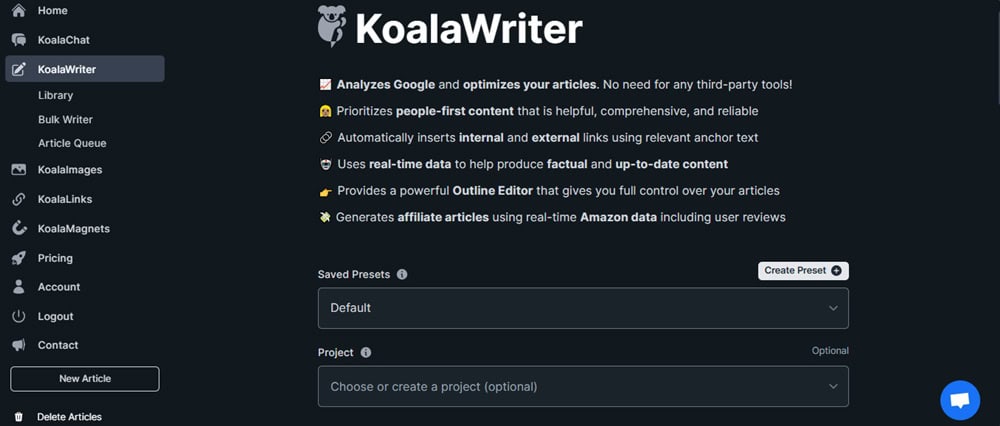
Best For: KoalaWriter is best for affiliate marketers, niche site builders, and content creators who require SEO AI writing tools that generate drafts quickly, especially for long-tail keywords and scaling content at a high speed.
KoalaWriter creates complete blog post drafts in minutes, optimized for SEO, using live SERP data, and tailored for different tones and formats (like reviews, comparisons, etc.).
Sometimes you need to move fast, especially when creating affiliate content or building out topic clusters.
KoalaWriter takes your target keyword and gives you a Google-aware draft with headings, structure, and even internal link prompts. It’s surprisingly sharp for a “1-click” writer.
I used it to generate five affiliate post drafts in under an hour. Each one had solid H2s, H3s, relevant entities, and FAQs. With a quick human edit, I had them published the same day, and a few ranked within 10–14 days with minimal backlinks.
What I Love About KoalaWriter (Pros)
- Blazing fast content generation
- Pulls live data from Google SERPs
- Offers real-time internal link suggestions
- Great for Amazon/affiliate-style posts
- Simple, no-friction interface
What I Don’t Like About KoalaWriter (Cons)
- Output needs a human touch to avoid sounding too generic
- Not ideal for long-form evergreen thought leadership
- Limited control over structure beyond headline input
- There is no free plan available
How Much Does KoalaWriter Cost?
Starts at $9/month (pay-as-you-go credits available). There is no free plan, but you can get a free trial with a limited word count.
12. Canva AI – Visual SEO Support with Infographics, AI Design & Image Tools

Best For: Canva AI is best for content creators, bloggers, and marketers who seek SEO-friendly visual assets to enhance posts, increase engagement, and earn backlinks. This is especially useful for supporting AI SEO tools focused on content optimization and link building.
Visuals can make or break a post. A killer infographic or comparison chart can boost backlinks, reduce bounce rate, and keep people scrolling.
Canva AI helps you create stunning, brand-friendly visuals, including infographics, featured images, data charts, and social graphics, using text prompts, image generators, and AI layout suggestions.
Canva AI takes the design pressure off by turning your ideas into graphics without needing Photoshop skills.
I started adding infographics to my blog posts using Canva’s Magic Design. Not only did those posts get shared more, but one post even got picked up by a local media site, all because the graphic made the info more digestible.
What I Love About Canva AI (Pros)
- AI-powered design suggestions that adapt to your brand
- There is a free plan available
- Built-in templates for infographics, carousels, charts, and blog graphics
- Super easy to use, even for non-designers
- Magic Write tool helps generate copy for visuals or social posts
- Boosts time on page and shareability
What I Don’t Like About Canva AI (Cons)
- Not an SEO tool in the traditional sense
- Needs a bit of manual SEO touch (image compression, alt text, etc.)
How Much Does it Cost to Use Canva AI?
There is a free plan available. Pro plan (unlocks all AI tools + assets) starts at $12.99/month.
13. Perplexity – AI-Powered Research and SERP Simulation Tool
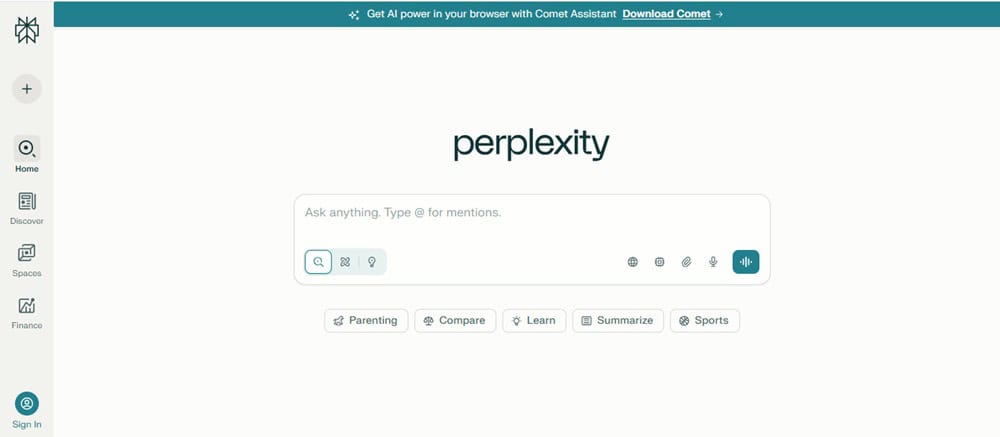
Best For: Perplexity is ideal for writers, bloggers, and strategists who want to research more effectively and create better content briefs, especially when optimizing for AI-powered search engines and aligning with entity-driven SEO.
Perplexity provides you with direct, AI-powered answers extracted from live web data, serving as a hybrid between a search engine, research assistant, and content brief generator.
It’s like having a brainy assistant that doesn’t guess but cites.
When I’m building briefs or optimizing for AI search results, I use Perplexity to explore how entities connect, what top sources are saying, and how queries are evolving.
It’s the closest thing we have to testing how AI perceives your content.
I used Perplexity to build a content cluster around a niche topic, and it surfaced sources and subtopics I missed with traditional tools. The cited answers helped me align my content with what’s trending right now, not what ranked 6 months ago.
What I Love About Perplexity (Pros)
- Cites real-time sources for answers and summaries
- Great for entity discovery, topic clustering, and FAQs
- Helpful for simulating how AI search might answer a query
- Free to use with no login (Pro adds more features)
- Clean, super fast, and minimal interface
What’s Not So Great About Perplexity (Cons)
- Not a complete SEO tool (no keyword volume, SERP scores, etc.)
- Can return repetitive or overly broad answers if not prompted well
- Limited export or integration options
How Much Does Perplexity Cost?
Perplexity is free to use. Perplexity Pro starts at $20/month (includes GPT-4 and advanced features).
14. Grammarly – AI Editing for Clarity, Tone, and SEO Readability
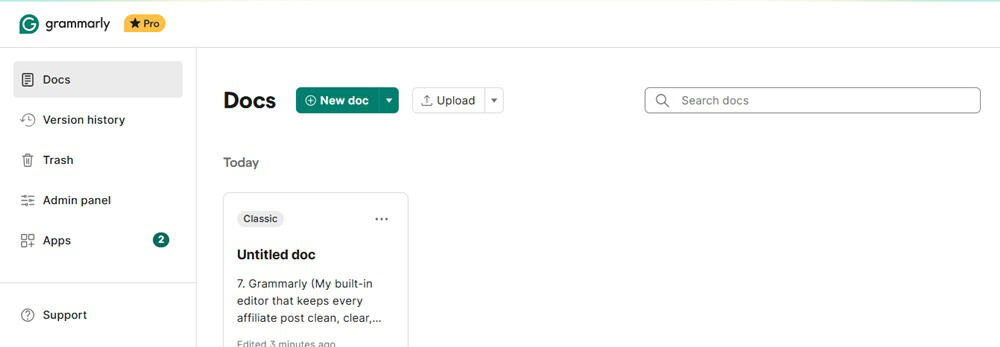
Best For: Grammarly is ideal for anyone writing content, such as bloggers, editors, and SEOs, who want clean, reader-friendly posts that rank and convert, mainly when used in conjunction with other AI SEO content tools.
Grammarly is an AI-powered writing assistant that checks for grammar, tone, clarity, and style with added tools for rewriting, simplifying, and maintaining consistency across long-form content.
SEO isn’t just about keywords. It’s also about readability, clarity, and engagement.
Grammarly keeps my posts sharp, scannable, and human-sounding, especially when I’m juggling SEO terms with natural flow.
What’s Great About Grammarly (Pros)
- There is a free plan that you can use forever
- Real-time suggestions for tone, fluency, and grammar
- Works inside Google Docs, WordPress, and the browser
- “Rewrite with AI” tool improves clarity without killing your voice
- Helps hit SEO readability targets (grade level, sentence length)
- Great for teams who want a consistent tone
What I Don’t Like About Grammarly (Cons)
- Doesn’t check SEO keywords or search intent
- Can sometimes overcorrect casual writing
- Free plan is solid but limited in deeper edits
How Much Does Grammarly Cost?
Free version available. Premium starts at $30/month. There are also business plans available for teams.
15. BrightLocal – Local Citations, Reviews, and Rank Tracking in One
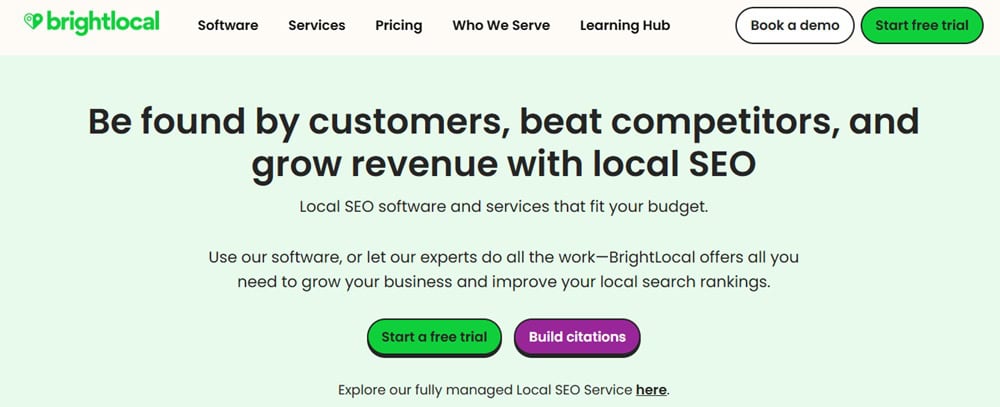
Best For: BrightLocal is best for local business owners, SEO consultants, and agencies seeking a comprehensive tool for managing local SEO, including reviews, citations, and local rankings, all in one dashboard.
If you’re serious about local visibility, you need more than just Google Maps.
BrightLocal is an all-in-one local SEO platform that helps you build citations, monitor online reviews, and track your local rankings by location, device, and keyword.
BrightLocal shows you where you stand, where your competitors are outperforming you, and which local directories or review sites require your attention. It provides a comprehensive overview in one place.
I used BrightLocal to help a service-based business clean up its NAP data (name, address, phone) and monitor reviews. Within 6 weeks, their map pack visibility improved, and they started ranking in nearby towns they’d never appeared in before.
What I Love About BrightLocal (Pros)
- Combines citation building, review monitoring, and rank tracking
- Super accurate local rank tracking across zip codes and devices
- Easy-to-digest reports (great for clients or stakeholders)
- Google Business Profile audit tools included
- Great automation for review management
What I Don’t Love About BrightLocal (Cons)
- Focused only on local SEO (not suitable for content/keyword work)
- Interface is a bit dated compared to newer tools
- Some features are priced separately (like citation building services)
How Much Does BrightLocal Cost?
Starts at $39/month. Citation building is priced per campaign. There is no free plan, but a free trial is available.
16. NeuronWriter – Budget-Friendly NLP Content Optimizer
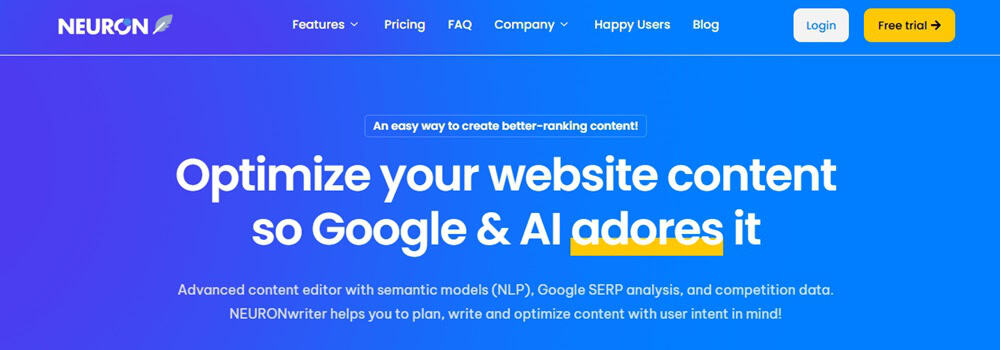
Best For: NeuronWriter is best for bloggers, freelancers, and small business owners seeking a budget-friendly AI SEO tool for content writing, optimization, and entity-based SEO. It is perfect if you’re on a tight budget but still want NLP-powered guidance.
NeuronWriter is an AI SEO tool for content optimization that uses NLP (natural language processing) to analyze top-ranking pages and suggest entities, structure, and keywords to help your content rank better.
It provides Surfer-style insights, including SERP-based scoring, competitor breakdowns, and keyword usage suggestions without the premium price tag.
It’s become my go-to when I want to quickly optimize blog content or repurpose old articles without overthinking it.
What I Love About NeuronWriter (Pros)
- Clean interface and easy to navigate
- SERP-based content scoring and structure suggestions
- Detailed competitor content analysis
- Keyword grouping and search intent targeting
- Lifetime deal options are often available (huge win)
- Its monthly subscription fee is way cheaper and affordable than Surfer SEO.
What I Don’t Like About NeuronWriter (Cons)
- Fewer integrations than tools like Surfer or Frase
- There is no free plan available
How Much Does NeuronWriter Cost?
Starts at $23/month. Often available via AppSumo as a lifetime deal.
17. TubeBuddy – YouTube SEO Optimization with AI Suggestions
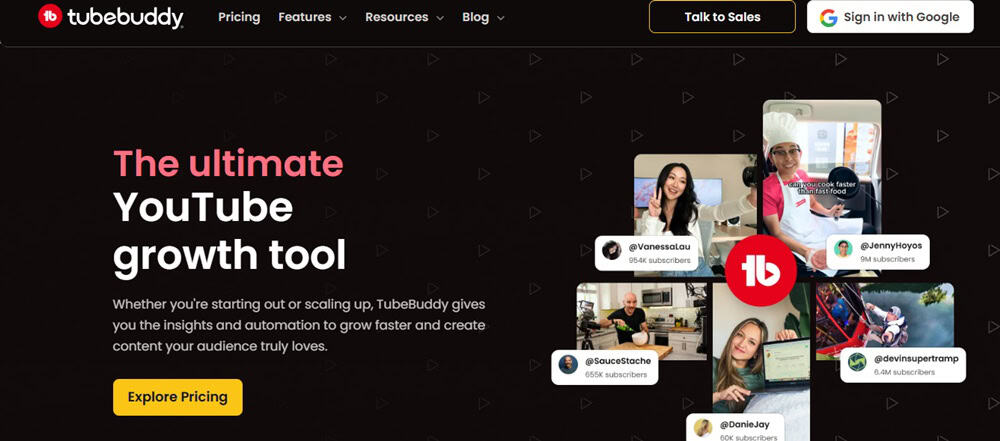
Best For: TubeBuddy is best for YouTubers, video marketers, and educators who want AI SEO tools for YouTube, especially for optimizing titles, tags, descriptions, and thumbnails to grow visibility and rank in video search.
YouTube is a search engine, and just like Google, your content needs to be optimized. TubeBuddy helps you discover what people are searching for, optimize your metadata, and enhance CTR with intelligent thumbnail tools and SEO prompts.
TubeBuddy is a browser extension and YouTube-certified tool that helps you optimize your videos with keyword research, SEO-friendly titles, tags, thumbnails, and even AI-powered tools for script writing and A/B testing.
What I Love About TubeBuddy (Pros)
- YouTube-certified and integrates directly with your channel
- AI tools for titles, scripts, and thumbnail optimization
- Deep keyword research tailored for YouTube search
- Bulk update tools for metadata and end screens
- A/B testing for thumbnails and titles (Pro+ plans)
What I Don’t Like About TubeBuddy (Cons)
- The free version is limited in keyword data and features
- Interface can feel clunky in some browser views
- Doesn’t optimize for other platforms (YouTube-only focus)
How Much Does it Cost to Use TubeBuddy?
There is a free plan available. Pro starts at $4.50/month. The Legend plan unlocks full AI and testing features.
18. Keywords Everywhere – Lightweight Keyword & SERP Data Right Inside Your Browser

Best For: Keywords Everywhere is best for bloggers, YouTubers, and marketers who want a fast and hassle-free way to access keyword data on the fly, especially when researching ideas, updating old posts, or optimizing for both AI and traditional search results.
Keywords Everywhere is an AI SEO browser extension that shows keyword volume, CPC, competition, and trend data directly in Google Search, YouTube, and other popular sites.
This one’s on my device every day.
This SEO tool is fast, no-fluff, and shows keyword insights right where I need them. I use it constantly to validate blog ideas, check trends, and spot long-tail keyword variations without having to open another tab.
Once I started using it while browsing SERPs, I found content gaps faster and planned smarter.
It helped me avoid wasting time writing about topics with little demand and instead focused on search terms that were already gaining traction. It’s one of those tools that makes me feel plugged in while I research.
What I Love About Keywords Everywhere (Pros)
- Instant keyword metrics as you search
- Works across Google, YouTube, Amazon, etc.
- Related and “People Also Search For” keyword suggestions
- SERP analysis with domain authority and backlink data
- Super affordable with pay-as-you-go credits
- There is a free version available
What I Don’t Like About Keywords Everywhere (Cons)
- No AI writing or optimization tools, just keyword data
- Limited keyword grouping or clustering unless paired with other tools
- Interface feels basic if you’re used to larger SEO suites
How Much Does it Cost to Use Keywords Everywhere?
There is a free version. The Pro plans start at $60/year, and you receive 100,000 credits annually.
Read my complete Keywords Everywhere review here.
My AI SEO Workflow (From Idea to Optimization)
Over the years, I’ve developed a workflow that takes me from a messy idea to a fully optimized blog post with minimal friction, all powered by AI tools I’ve actually used, not just listed for clicks.
Here’s how that looks behind the scenes.
Step 1: Idea Generation & Keyword Discovery
I usually start with a loose idea, such as a trending topic, a question I’ve seen in a forum, or a hunch based on what my audience needs.
Keywords Everywhere is always running in my browser, so I instantly see keyword volume, related phrases, and long-tail opportunities right inside Google.
It helps me validate ideas without opening a single extra tab.
Once I have a few ideas, I plug them into SEMrush to explore them further, see what’s ranking, identify the gaps, and determine which keywords might actually drive traffic.
Sometimes I’ll fire up Perplexity to get a sense of what real-time sources are saying and identify related questions or entities I might miss.
Step 2: Research & Content Mapping
With the core idea in place, I enter research mode.
I’ll use ChatGPT or Claude to help brainstorm outlines, reframe competitor content, and surface subtopics.
If I want to create a content cluster or silo, SearchAtlas provides a fast way to organize supporting articles and internal links around the main topic.
For video content, I use TubeBuddy to explore related YouTube search terms, check competitors, and determine what’s ranking in the video space.
Everything, including notes, links, and angles, is organized in Notion or Docs by post.
Step 3: Writing the Draft (with a Human Voice)
When I’m ready to draft, I open KoalaWriter for fast, SERP-aware blog post drafts, especially for affiliate-style content or long-tail keywords. It’s a massive time-saver.
If I want more control and tone matching, I switch to ChatGPT Pro, using my custom prompts to guide it through intros, body, and conclusions one section at a time.
I always treat AI like a writing partner, not the final voice. Every draft gets a human pass.
Step 4: Optimization & On-Page SEO
Once the draft’s done, I bring in the heavy hitters.
Surfer SEO helps fine-tune structure, NLP terms, and keyword density based on what’s actually ranking.
If I’m working on a budget site or need a lighter lift, I’ll run it through NeuronWriter instead; it’s super efficient for content scoring and updating older posts.
Rank Math takes care of on-page SEO inside WordPress. I’ve been using this SEO plugin for years, the AI suggestions, schema setup, and instant content scoring make it my favorite SEO plugin by far.
If I want to check tone or flow, I drop the piece into Grammarly for clarity and rhythm.
And before anything goes live, I run it through Originality.AI to confirm it sounds like me, not a robot.
Step 5: Internal Linking & Content Structure
Now it’s time to connect the dots.
Link Whisper suggests relevant internal links as I edit the post in WordPress. I use it religiously to keep my site structure tight and help Google understand which content is most important.
When building content clusters or updating dozens of pages at once, Link Whisper’s bulk features are a lifesaver.
Step 6: Visuals, Enhancements & Media
Strong visuals lead to higher dwell time and better shares.
Canva AI helps me quickly create infographics, custom blog graphics, and social media visuals.
If I’m turning a post into a carousel or explainer graphic, it’s my go-to, no Photoshop skills needed.
If I’m also creating a video or repurposing content for YouTube, TubeBuddy guides me on my title, tags, and thumbnail strategy. It helps me squeeze every bit of value from one piece of content.
Step 7: Local SEO, Reviews & Visibility Boosts
If I’m working on a local project (such as a service business or niche client), I switch gears here.
Whitespark helps me find citation opportunities and fill gaps in local listings. BrightLocal handles local rank tracking and review monitoring across multiple cities or locations.
Together, they maintain tight local visibility.
Step 8: Workflow Automation & Tracking
To keep everything from becoming chaos, I automate what I can.
n8n connects tools like Google Sheets, Search Console, and Notion, syncing keyword ideas, tracking underperforming content, and sending reminders when pages drop in rank.
If I’m doing ongoing SEO for a site, I also use Ahrefs to monitor backlinks, traffic drops, and new opportunities.
The AI Traffic Movements tool helps me act fast when content starts slipping.
What to Look for in an AI SEO Tool (Before You Waste Time or Money)
Choosing an AI SEO tool today is like shopping for a new phone. There’s always something flashier, more expensive, and loaded with features you’ll never use.
Alright, so the tool looks promising. The landing page is shiny. The features sound smart.
But what no one tells you is that even the most powerful tool is useless if it doesn’t fit how you work.
Let’s break down the checks I personally make before I get too excited (and you should too).
Can this tool really help you rank, or is it just showing off?
Many tools look impressive at first glance.
Fancy graphs. AI-written summaries. Technical SEO audits that make your head spin.
But when it comes down to it… Do they actually improve your rankings?
A good AI SEO tool should do more than throw data at you. It should guide you toward what matters:
- Are you targeting the right keywords?
- Is your content matching search intent?
- Are there missing opportunities you’re blind to?
And more importantly, can the tool explain why these things matter? Whether it’s an AI SEO content analyzer, a keyword research assistant, or a link-building tool, its job is to make SEO easier, not drown you in data.
If it’s not pointing you toward better results, skip it.
Is the interface clean, or does it feel like you’re hacking into NASA?
Ever signed up for a tool and immediately felt overwhelmed?
Yeah, same.
The user experience matters more than people admit, because if it’s too clunky, you’ll stop using it (no matter how powerful it is).
Look for tools that:
- Explain things in plain English
- Have clear dashboards with only what you need
- Don’t require you to watch 12 tutorials just to run a report
Especially if you’re a beginner, this matters.
You want something that works right out of the box, not something that feels like learning Excel from scratch.
Trust me, the best AI SEO tools for beginners are the ones that let you do SEO, not study it.
Can you try it before committing?
Here’s a rule I live by: if there’s no free trial, I’m not interested.
Why?
Because every tool looks good on the sales page, you need time to actually use it, test its keyword suggestions, play with the content optimization, and run a real blog post through it.
Some tools offer generous free plans or freemium versions with real functionality (not just a tease).
Others give 7–14 days trials that let you feel the whole experience. Either way, don’t swipe your card until you know it fits.
Especially with so many best free SEO tools already on the market, there’s no excuse for buying blind.
Does it work with your current setup, or is it just extra work?
If your main platform is WordPress and the tool doesn’t support it, that’s already friction.
Or say you’re managing a content team on Google Docs, but the tool only lives inside a clunky internal editor, that’s not helping, that’s slowing you down.
The key is to choose tools that disappear into your process. Whether that means:
- Chrome extensions that work inside your browser
- WordPress plugins that handle SEO as you write
- APIs or integrations with tools you already use (Notion, Docs, Sheets, etc.)
Your ideal tool should feel like part of your routine, not another thing you have to “deal with” separately.
This is especially true for content creators and marketers juggling multiple platforms.
If you’re running a small site, look for the best AI-powered SEO tools for WordPress that offer seamless on-page optimization. If you’re at an agency, you’ll need more advanced integrations, think AI SEO tools for marketing agencies with built-in client management.
Is it future-proof or built for SEO from five years ago?
SEO isn’t what it used to be.
Google’s evolving, AI search is creeping in fast, and tools that aren’t adapting? They’ll leave you behind.
Most traditional SEO tools are built around basic stuff like keyword volumes, backlinks, and rankings.
That’s fine.
But if your tool ignores AI-generated search results, zero-click answers, or how ChatGPT searches influence visibility, you’re playing an outdated game.
What to look for:
- Tools that help optimize for AI search snippets, not just traditional SERPs
- Platforms that monitor how content performs in ChatGPT-style results
- Features that focus on semantic search, natural language, and relevance, not just keyword density
This is especially important if you’re trying to master SEO for AI search or want to tap into tools that evolve with how people search now, not how they used to.
Does the value match the price, or are you just paying for hype?
Just because a tool costs $99/month doesn’t mean it’s better than a solid free one.
I’ve used pricey SEO suites that gave me surface-level suggestions. Meanwhile, some of the best free AI SEO tools, or AI SEO tools with low-cost plans, offered real value, such as advanced keyword clustering, SERP simulations, and AI-powered content scoring.
Ask yourself:
- What exactly am I paying for?
- Will I use 80% of the features or just 2%?
- Are there free or cheaper alternatives that do 80% of the job?
If you’re a beginner, small business owner, or side hustler, there’s no shame in using free AI SEO tools that get the job done. You can always upgrade later.
Also, always compare tools.
See which one “thinks” like you do.
Final Thoughts on Best AI SEO Software
After testing countless tools over the years, from hidden gems to overhyped platforms, a few always end up in my daily rotation.
If you’re wondering where to start or what’s actually worth your time, let me share what I personally lean on the most.
Rank Math is my go-to for on-page SEO. It’s baked right into my WordPress workflow and does everything from schema to AI-driven content scoring without slowing me down. I’ve tried Yoast and a few others, but Rank Math is the best fit for me. It’s like an SEO assistant living inside my editor.
SEMrush is my brain behind the strategy. I use it when I want to go beyond the page, such as researching competitors, digging into keyword gaps, or planning entire content clusters.
Its AI Copilot is still evolving, but it’s already helped me make sharper, faster decisions.
When it comes to content optimization, Surfer SEO is where I get tactical. It gives me clear guidance based on what’s actually ranking, not just theory.
I don’t obsess over the content score. Still, I use it to spot blind spots and strengthen key areas, especially when I’m optimizing for semantically rich topics or AI-driven search visibility.
And finally, Link Whisper is the tool I didn’t know I needed until I tried it. Internal linking is one of those things you know matters, but always forget to do. Link Whisper makes it frictionless.
I use it constantly to build a stronger site structure and keep my older posts connected and ranking.
If you’re overwhelmed by the choices, don’t feel like you need all 18 tools. Start with what fits your workflow and budget. Then layer on as your SEO grows.
For me, these four cover about 80% of my day-to-day needs; everything else is icing on the cake.
FAQs on Best AI Tools for SEO
Can you do SEO with AI?
Yes, you can use AI for SEO, and if you’re not, you’re likely doing more work than necessary. AI can handle everything from keyword discovery and competitor research to content optimization and internal linking.
What are the best AI tools for SEO?
Depends on what you need. Want to write better? Try Surfer, KoalaWriter, or NeuronWriter. Want to plan smarter? SEMrush, Ahrefs, or SearchAtlas. Want to do it all from inside WordPress? Rank Math + Link Whisper.
What is the best AI SEO tool for beginners?
Start with Rank Math (it’s free and guides you inside WordPress), pair it with Keywords Everywhere for fast keyword ideas, and add ChatGPT Pro to speed up content drafts.
Can ChatGPT help with SEO?
Big yes. I use ChatGPT to outline posts, brainstorm angles, rewrite intros, simplify technical content, and simulate how AI search might interpret a page.
Is there a downside to using AI for SEO?
If you rely on AI too much, yes. The most significant risk is sounding robotic, generic, or missing nuance. AI is a tool, not a replacement for your voice, expertise, or strategy.
Does Google penalize AI content for SEO?
Google does not penalize AI content if it’s helpful, original, and well-written. Google doesn’t care who wrote it, they care if it’s useful. But if you’re pumping out low-quality AI spam? Yeah, they’ll notice.
